mirror of
https://github.com/tiennm99/is-a-dev.git
synced 2026-06-09 02:14:42 +00:00
 mtgsquad.dev
28 lines
1.6 KiB
Markdown
28 lines
1.6 KiB
Markdown
When you create your Hashnode blog, hashnode provides a free **yourdomain.hashnode.dev** subdomain for you. However, you can set up your own **yourdomain.tld** domain or **blog.yourdomain.tld** subdomain to your Hashnode blog.
|
|
|
|
In this guide, you will learn how to accomplish this alongside some additional specific guides for different domain DNS providers.
|
|
|
|
---
|
|
|
|
1. Log in to your Hashnode account.
|
|
|
|
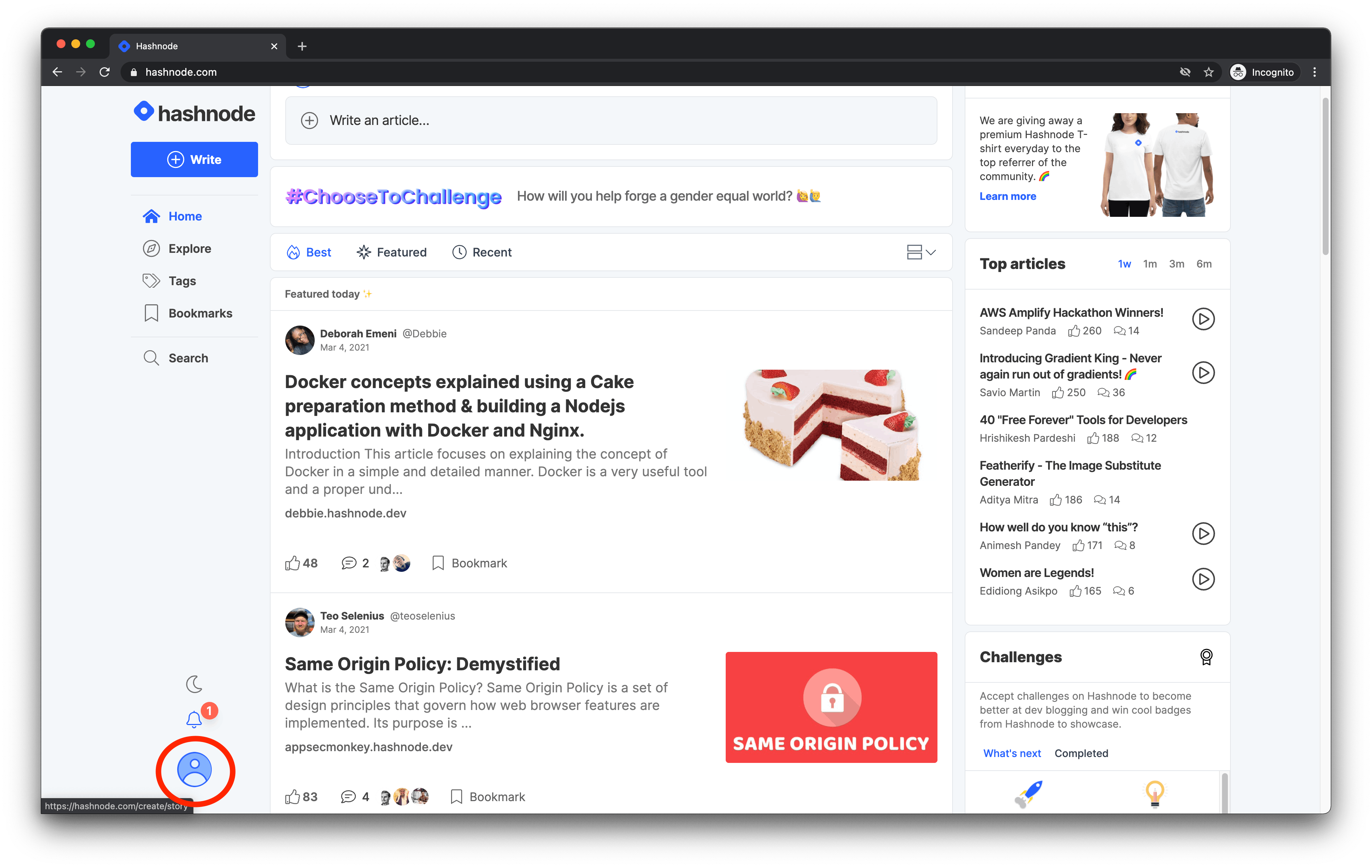
2. Click on your **profile picture** at the bottom-left corner of the page on *desktop* screen or top-right corner on *mobile* screen.
|
|
|
|
|
|
|
|
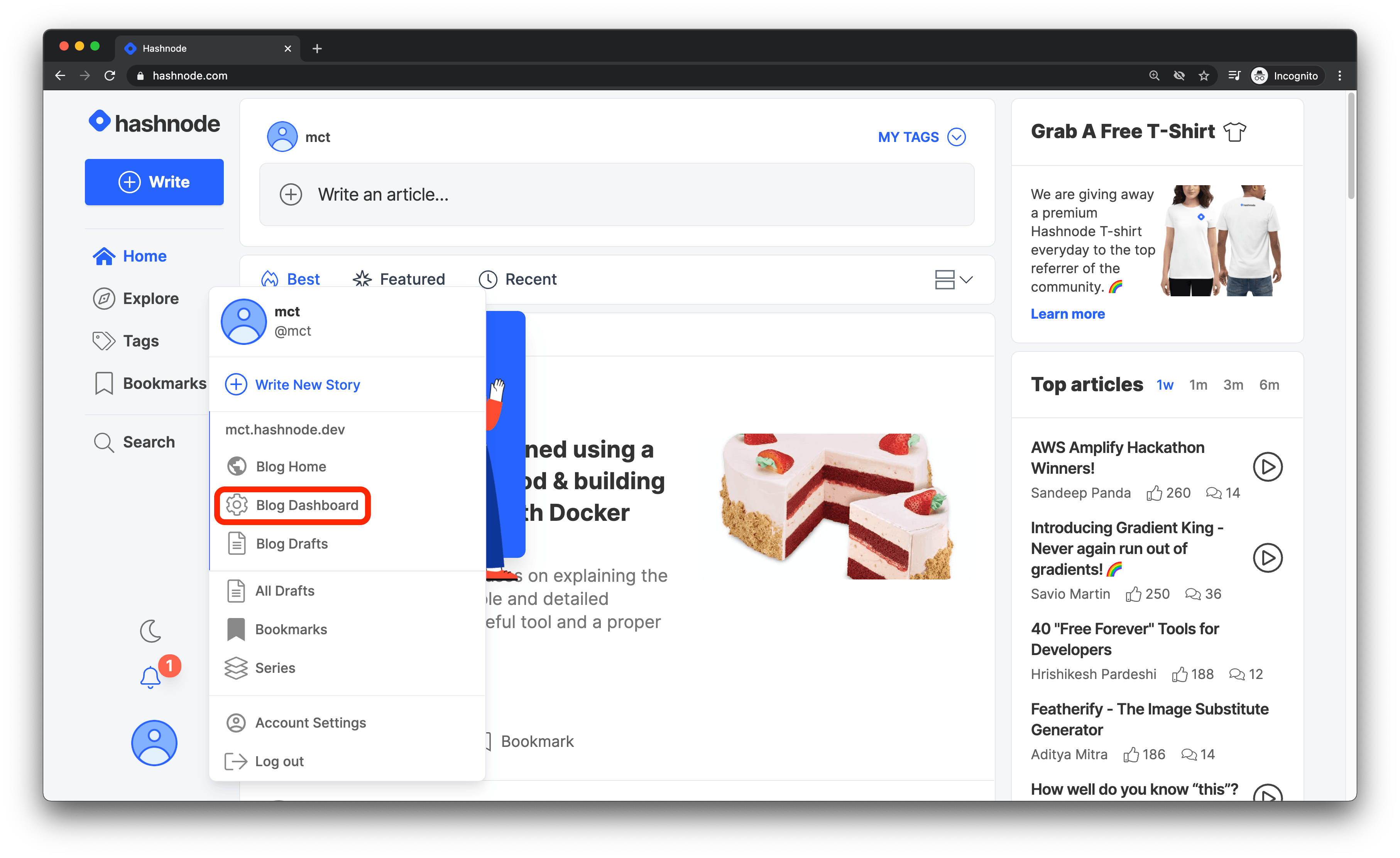
3. Click on the **Blog Dashboard** option from the popup modal to access your blog's dashboard.
|
|
|
|
|
|
|
|
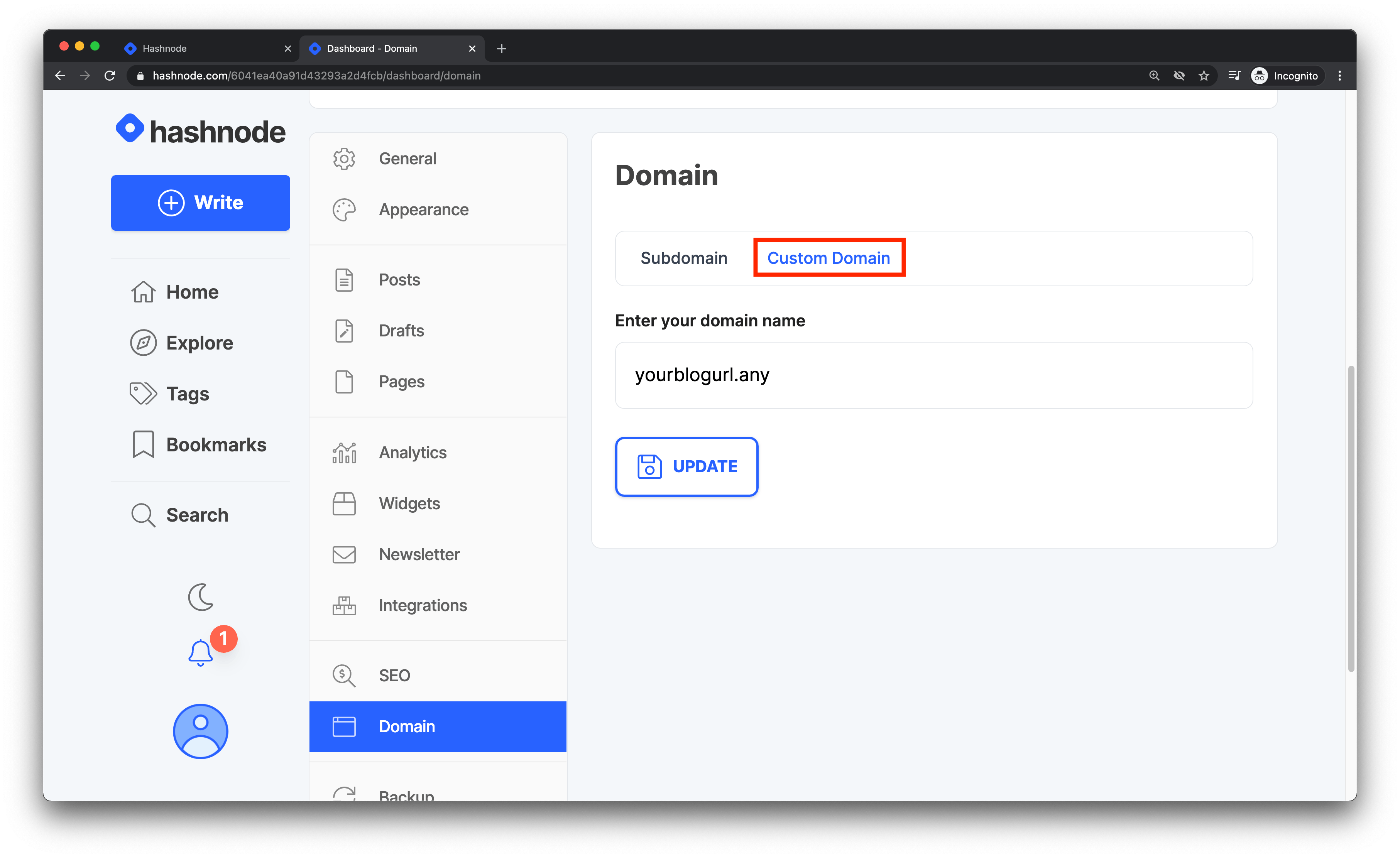
4. Navigate to the **DOMAIN** tab and enter your domain without the **www** or **https://** prefix in the text field provided. Then click on the **Update** button to proceed.
|
|
|
|
|
|
|
|
5. Go To Your Fork Of The `is-a-dev/register` repo, edit your subdomain's JSON file, make sure you remove any old records, then add this:
|
|
```json
|
|
"CNAME": "hashnode.network"
|
|
```
|
|
|
|
Once Done, your hashnode blog is setup to use your subdomin, all you have to do is wait sometime for the DNS to propogate. These changes could take from 1 hour to around 48 hours, so please be patient, It'll most likely be ready within a hour.
|
|
Enjoy Your Hashnode Blog, With Your Sweet `.is-a.dev` Subdomain!
|